

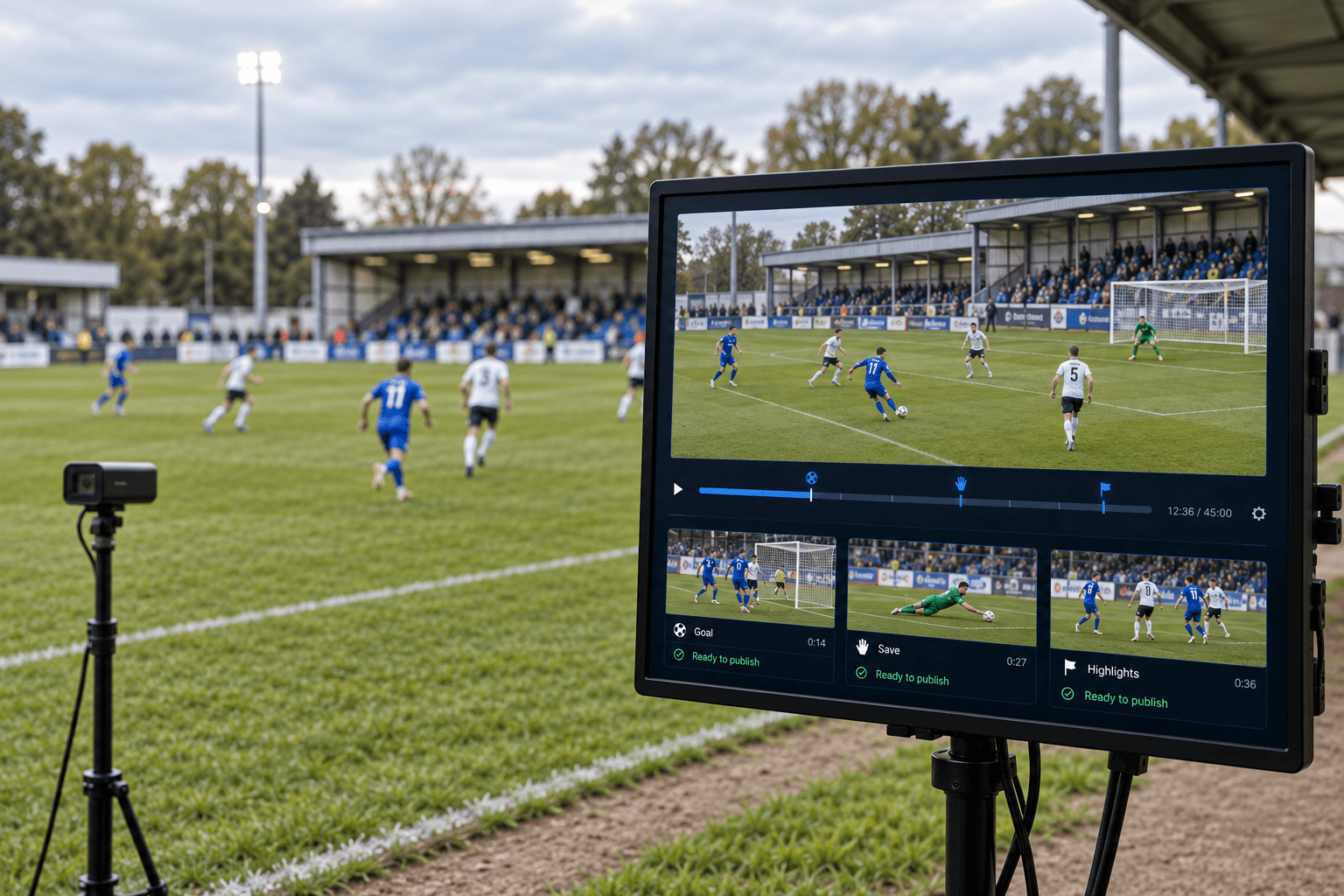
Producing a goal clip takes far less manual work than it used to. AI-powered event detection can identify the goal and prepare a clip around it without an editor scrubbing through the footage. The harder questions come next. Where does the video go, who’s allowed to publish it, how will anyone find it next month, and does it earn anything? That’s where many automated sports highlights lose their value. This guide covers what happens after the cut: tagging, publishing rules, formats and monetisation, and where people still need to stay involved.
Why highlights have become a product in their own right
For younger fans, highlights are often the main way they follow a competition. Research from Bango published in June 2026 found that 51% of 25–34-year-olds and 47% of 18–24-year-olds in the US say highlights are replacing live games for them, compared with 38% of Americans overall. Around 59% of 25–34s and 58% of 18–24s say they often follow games through clips, updates or social media instead of watching the full game.
Demand is getting more personal, too. Deloitte’s 2026 Digital Media Trends survey found that 32% of sports fans would like personalised highlight reels and commentary built around their favourite teams and athletes.
None of this makes live sports less important. It changes the role highlights play. For a lower league, a well-tagged goal is often the first contact a new fan has with the competition, and the route from that first video to the full game, the next fixture or a season pass is something you can design.
What this looks like in WinSportEdge and Better Media Suite
Take a single goal in a league game produced with WinSportEdge.
WinSportEdge analyses the game footage and recognises the goal as an event, with a timestamp and the players involved. Because footage is categorised in real time, the event is already tagged while the game is still being played. Coaches and analysts can find it on the event timeline in the WinSportEdge web application, and the same event data feeds player previews.
The clip then lands in Better Media Suite. The sports module in BMS Studio already holds the competition structure, fixtures, teams and player profiles, so the goal isn’t just a file with a timestamp. It belongs to a specific fixture, two teams and the players involved, in the same catalogue as the live stream and the full-game VOD. From there, Better Media Suite publishes to web, mobile and more than ten connected TV platforms under the monetisation model the competition uses.
That’s the practical difference from a standalone highlights tool. The event data, the catalogue structure and the OTT apps belong to one workflow, so a clip doesn’t have to be exported from one system, renamed and uploaded to another before fans can see it.
How automated highlight generation works
Most automated highlight workflows follow the same four steps. The production side, meaning how cameras, AI analysis and the live stream fit together, is covered in our guide to automated multi-camera sports production.
- Event detection. The AI recognises key plays such as goals, shots, saves, cards and set pieces, each with a timestamp.
- Clip boundaries. Each event type needs its own window. A goal usually needs the build-up before the shot and the celebration after it, while a save needs far less. These windows decide whether a highlight feels edited or simply cut off.
- Ranking. Not every event belongs in a recap. Ranking rules decide which of the best moments make a short round-up and which stay as single clips in the archive.
- Assembly. The same events can be combined into game recaps, team reels, player reels or a round-up across a whole competition.
This is the general pattern, not a feature list. In WinSportEdge, event recognition and real-time tagging are part of the product. How ranking, reel assembly and output formats are handled is agreed for each deployment, so confirm the scope for your competitions during a demo.
The step most tools skip: metadata
A highlight without metadata is just a file. It gets posted once and disappears as soon as the feed moves on. A highlight video with structured metadata can appear in search, in a “goals of the round” row, on a team or player page and in next season’s archive.
Scale is what makes this unavoidable. As a worked example, take a 16-team league playing a double round-robin: 30 rounds of eight games, 240 games a season. If each game produces six moments worth keeping, that’s around 1,440 clips, plus 240 game recaps. Each team appears in about 180 of those clips over the season. Tag every clip with competition, season, round, fixture, teams, players, event type and game minute, and you’re managing well over 10,000 metadata values a season, before you count previous seasons in the archive.
No one maintains that by hand without mistakes. A pattern we see in catalogue migrations is the same club spelled three ways by three different people. With automated tagging, an error in a team or player name repeats in every clip that inherits it. That’s why it matters that the sports module in BMS Studio holds teams, fixtures and player profiles as structured records: clips link to an existing team or player instead of carrying a name typed in by whoever processed the game. Our guide to video content taxonomy covers how to set up controlled vocabularies around that structure.
Metadata also shapes what a highlight is worth to advertisers. Omdia projected that premium video advertising would total $42.1 billion in 2025, up 15.6% on 2024, across hybrid and ad-supported streaming services. A video tagged with competition, teams and event type gives an advertiser a context to buy. A file called “clip_0417.mp4” doesn’t.
Publishing rules: decide once, apply to every game
Automation only saves time if the decisions are made in advance. A publishing policy answers the same questions for every fixture.
- What goes where: short teasers to social media platforms, full highlights and recaps to your own apps, or both.
- When: live moments during the match, straight after the final whistle, or after an embargo agreed with a broadcast partner.
- Where in the world: highlights can carry different territorial rights from the live stream, so geo-restrictions have to travel with each clip.
- For how long: some rights allow highlights for a set window only, so the archive needs to know when a video should drop out.
- With or without review: routine goals can be set to publish automatically where your rights and rules allow it, while injuries, crowd incidents and disputed decisions should wait for a person to approve them.
Which of these rules run automatically and where approval steps sit depends on how your platform is configured, and that’s worth agreeing before the season starts. A rule that runs on every video gets applied the same way each time. A rule in a PDF depends on who’s on shift.
One event, several formats
The same goal rarely suits every screen. Horizontal 16:9 video works on connected TV and the web, while vertical feeds such as YouTube Shorts, Instagram Reels and TikTok favour 9:16. Duration matters as well.
| Format | Typical length | Where it runs | Its job | What it needs |
|---|---|---|---|---|
| Vertical social clip | 15–30 seconds | YouTube Shorts, Instagram Reels, TikTok | First contact with new fans | 9:16 framing that keeps the ball in shot, captions, score graphic, a link back to your app |
| Match recap | 1–3 minutes | Your mobile and web apps | Catch-up after the final whistle | Ranked key moments in game order, fixture and team tags |
| Extended highlights | 8–15 minutes | Connected TV, web | Lean-back viewing for fans who missed the game | Fuller build-up windows, commentary where available |
| Player-focused content | 1–5 minutes | Player pages, apps, academies and scouting | Following one athlete, personalisation, recruiting | Reliable player tagging linked to player profiles |
Lengths are editorial guidance rather than research figures. Adjust them to your competitions.
The viewing time is there. PwC’s Sports Industry Outlook 2026 notes that the average person now spends 2.5 hours a day on short-form video platforms. The challenge is creating each version without manual editing of every one, and checking which of these outputs your tools produce directly and which still need an editor.
Tracking data helps with vertical video. Reframing a wide shot into 9:16 means knowing where the action is in every frame, and player and ball positions provide that information. Check how any AI highlight tool handles reframing before you rely on it for social channels, because a vertical video that loses the ball is worse than no video at all.
Making highlights pay
Highlights contribute to revenue in three different ways, and it helps to keep them apart when you build the business case.
Direct revenue
Advertising on highlights in your apps. In an ad-supported (AVOD) environment, clips and recaps can carry pre-roll ads, sold against the tags each clip carries. This is per-video advertising inside your own apps.
Sponsorship. “Goal of the round” or “save of the week” is sponsor inventory that grows with the fixture list. These round-ups usually carry branded intros, transitions and music, and a repeatable weekly format is easier to sell than one-off placements.
FAST works differently. A FAST channel is a scheduled, linear stream with ad breaks, so highlights and archive programming can fill a competition channel, but the revenue comes from the channel’s ad breaks rather than from individual clips. Better Media Suite supports both models, and they suit different parts of your content.
Audience acquisition
Social clips reach fans who’ll never open your app on their own. Their job is to bring people towards the full game, the next fixture or a season pass. On YouTube and other third-party platforms, the audience relationship stays with the platform, while your own apps keep the viewing data. Our comparison of owning your video platform versus YouTube sets out the difference.
Potential premium features
Deloitte’s 32% figure points to real interest in reels built around favourite teams and players, which makes personalised highlights a candidate for a subscription extra. In youth sport, player reels are also valuable to families and in the recruiting process. Treat these as something to plan for: they depend on reliable player tagging, and whether they’re available in your set-up is a question for your platform provider.
For revenue beyond highlights, see how sports organisations can monetise live streams beyond subscriptions.
Where automated highlights go wrong
AI-generated highlights fail in predictable ways, and most of the fixes involve people as well as software.
Goals that weren’t. A goal ruled out for offside, or reversed after a review, stays a goal to the event detector until the game record is corrected. Someone needs to own that correction, and highlights need to update or come down when the score changes.
Missing context. A video that starts at the shot loses the move that made it. Event-specific windows, tested on real game footage and reviewed by an editor, solve most of this.
Moments nobody needs. A routine save in the 12th minute isn’t one of the best moments. Ranking rules and per-competition thresholds help keep recaps short enough to watch.
Sensitive moments. Serious injuries, crowd trouble and incidents involving minors shouldn’t publish automatically. A review step for these event types costs little and prevents the worst outcomes.
Inconsistent tags. When metadata is wrong, every feature built on it inherits the mistake: search, rows, player pages and ad targeting.
AI takes on the volume. People still set the rules, check the edge cases and fine-tune both as the season goes on.
Where to start as a league or federation
For a league or federation, the value of automated highlights depends less on how fast a clip is cut and more on whether thousands of clips a season stay organised, rights-safe and connected to your own apps. A practical starting point looks like this:
- Set up the structure first. Competitions, fixtures, teams and player profiles in BMS Studio, so every clip has something to link to from day one.
- Pilot one competition. Agree with us which steps are automated in your deployment, run a few rounds and review the tags and clips with your media team.
- Write the publishing rules. Social versus app, embargoes, territories, expiry and which events always need approval.
- Pick the revenue role for each format. Advertising and sponsorship for direct revenue, social clips for acquisition, premium features once tagging is reliable.
WinSportEdge brings event recognition and real-time tagging into that workflow, and Better Media Suite carries the clips into your catalogue and apps.
Want to see how highlights from your own competition would flow from event to app? Request a demo and we’ll walk you through it.
FAQ
Automated sports highlights are highlight videos and recaps produced with AI rather than built entirely by editors. The system detects events such as goals, saves and cards, cuts a clip around each one using event-specific time windows, and can rank and combine them into recaps or reels. Structured metadata on every clip is what makes them findable and reusable later.
A clip can be prepared shortly after the event is recognised, but publishing speed usually depends more on policy than on processing time. Broadcast embargoes, rights that limit in-game clips and review steps for sensitive moments all add time by design. Agree those rules in advance, and clips that meet them can move through without waiting for manual editing.
Yes. Common errors include goals later ruled out, highlights that cut off the build-up, routine moments ranked too high and sensitive incidents published without review. The fixes combine software and people: updating clips when the game record changes, event-specific clip windows, ranking thresholds per competition, and a human review step for injuries, crowd incidents and disputed decisions.
Usually both, with different jobs. Social media platforms reach fans who don’t know your competition yet, so short videos there work best as an entry point. Your own OTT apps keep the viewing data and the revenue, so full highlights, recaps and archives belong there. Each social video should give viewers a reason and a route to come back to the app.
Separate three roles. Direct revenue comes from advertising on clips in ad-supported apps and from sponsored formats such as goal of the round. Social clips mainly acquire audiences and drive them towards full games and season passes. Personalised team or player reels are a potential premium feature, with Deloitte finding that 32% of sports fans would like them.